Provide any information about gadget reviews and buying guides for free.
Sunday, January 8, 2012
Dragon is a Winner - Especially if You Hate Typing
Tuesday, November 22, 2011
The Joy of Portable Books... and I Mean *Very* Portable
Thursday, November 10, 2011
The Dental R.A.T. is Available at the AAP Meeting and Readers Here Can Get the Same Discount
Tuesday, November 8, 2011
How Important is the Keyboard... Answered
Over a month ago I posed this question in a previous post.
Since that time, I've had a chance to get fairly well acquainted with the Samsung Galaxy II... a device that uses only a soft keyboard as well as voice to text.
I've found the device incredibly easy to use, and I never thought I'd say that. One of the things that Samsung does over some other companies is the use of haptic feedback which means the phone uses a pulse of the vibration mode to shake the phone each time a character is typed. This provides a much more stable and reliable experience when using a keyboard with no "feel" since it is virtual only.
Combine that with the arrival of Siri on the new iPhone 4S. Siri, for those of you who don't know, is not only voice to text, but allows control of the iPhone OS to do all sorts of things such as telling the phone "wake me up at 7 in the morning" and it will set the alarm for 7:00 am. This completely removes the need for typing at all.
So the answer is... yes the keyboard will soon be a non-issue. I've always been a fan, but if I can give it up, you can too. I do think it requires you to find the right device, but trust me... they are out there. I think with our mobile devices, at some time we'll think back to keyboards like modems. We may get a bit nostalgic but we really won't miss them at all.
Tuesday, October 18, 2011
KIndle Update Brings Personal Document Synchronization to Users
Download Version 3.3You can download the update below. All Kindle Keyboard users will receive this software update automatically via Wi-Fi. To see if your Kindle Keyboard has already been updated, from the Home screen press the Menu button and use the 5-way controller to select "Settings." If the Settings screen displays "Version: Kindle 3.3" (or later) at the bottom of the screen, your Kindle Keyboard already has the latest software installed. To update your Kindle Keyboard software, turn your wireless on and connect to an available Wi-Fi network. From the Home screen, press Menu and select "Sync and Check for Items." The software update will automatically download in the background and install when your Kindle Keyboard goes into sleep mode.
Kindle Keyboard Wi-Fi:Download 3.3 Kindle Keyboard 3G (Free 3G + Wi-Fi) - U.S. and Canadian Customers*: Download 3.3 Your Kindle Keyboard serial number is visible at the bottom of the Settings Screen. From Home, select Menu, then Settings.
Free Access at AT&T Hotspots Enjoy free Wi-Fi access at AT&T hotspots across the U.S. to shop for and download Kindle content -- no AT&T registration, sign-in, or password required. You will need the Kindle Keyboard software update 3.1 or later to use free Wi-Fi access at AT&T hotspots. Update your Kindle software for free. Troubleshooting Update Issues
If you still cannot successfully update your Kindle Keyboard software using the instructions above or encounter any difficulty with your software update, please contact Kindle Support by clicking the "Contact Us" button in the right hand column of this page. Kindle Tools Know Your Kindle |
Saturday, October 15, 2011
CheckMate Checkpoint Friendly Computer Bag - Courtesy of Curve Dental
Saturday, September 17, 2011
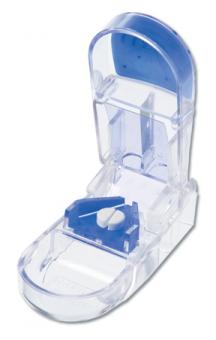
Titrating Your Meds with the Apex Ultra Pill Splitter
The company has lots of great little devices for helping folks with their medications.
Thursday, September 1, 2011
LaboMed Prima Surgical Operating Microscope
- 5-step APO chromatic magnification changer
- Plan APO optics for superior clarity and color rendition (see magnification options)
- Magnification steps: 0.4x, 0.6x, 1.0x, 1.6x, 2.5x
- Viewing body: ERGONOMIC binocular 0� - 210� , interpupillary range 55-75mm
- Wide-field eyepieces: 10x/18mm
- Manual fine focus Plan APO objective: f=250mm
- Ergonomic dental microscope carrier with adjustable handgrips
- Counter-balanced swivel and suspension arm with individual locking knobs
- Heavy anti-rust base with locking 84mm anti-static castors
- High output 50W LED with fiber optic cable; up to 60,000 hrs life
- Full intensity flicker-free control without color change
- Filters: Integral filter selector with Yellow, Green, and clear filter positions
- Auto illumination shut-off at top parking position
- Optional eyepieces: 12.5x/16mm, 16x/16mm
- Optional PlanAPO objectives: f=175mm; f=200mm; f=300mm; f=400mm
- Optional motorized fine focus with foot operated control
- Modular design accepts optional component modules
- Optional 5 Megapixel iVu camera module with USB2.0 and composite video out
- Optional Dual �Assistant� bridge for simultaneous observation
- Optional floor, wall, table, and ceiling mounting
- Optional long suspension arm for chair or wall mounted systems
- Optional Halogen 150W or 250W Xenon illumination
Monday, June 27, 2011
Magellan Announces Wireless Backup Camera for your Ride
SANTA CLARA, Calif. (22 June, 2011) /PRNewswire/ � Magellan GPS today announced the launch of a Back-Up Camera companion product for its RoadMate� safety series car navigation units that will help drivers reverse and park more safely. Combining this camera with a Safety Series GPS navigator expands Magellan's focus on safety and security to the full time you are in your car. It starts when the Back-Up Camera helps you safely reverse out of your driveway, continues through your commute with premium GPS navigation features, and does not end until the Back-Up Camera helps you park the car without damage or stress and you finally shut off the ignition.
The Magellan Wireless Back-Up Camera attaches to the vehicle's rear license plate and transmits images directly to the expansive 7" high resolution screen of a RoadMate 1700 or RoadMate 9055 GPS device. When the car is put into reverse, the GPS navigator will switch from map to rear-view mode, enabling drivers to view what is below the rear window.
The Back-Up Camera is both dustproof and waterproof to IP67 standard, and features a wide-angle viewing lens that provides a 120-degree viewing area behind the vehicle. The transmitter, which sits in the car's trunk, is also water resistant (to IPX4 standard). With a 45-foot range and a 45 degree camera vertical adjustment, the transmitter is adaptable for most vehicles, SUVs and RVs.
"The Magellan Wireless Back-Up Camera adds a substantial level of safety and security to your drive. Back-Up Cameras have proven to be useful devices in helping drivers get a more complete picture of what's behind them � such as small children or pets in the driveway � and helping them back into narrow, parallel parking spots. Combined with the confidence that a navigation device provides, the RoadMate with Back-Up Camera help you leave, arrive and park safely," said Mike Wagner, Senior Director, Product Marketing for Magellan GPS.
The Magellan Wireless Back-Up Camera kit comes complete with a license plate mountable camera, transmitter, wireless receiver, vehicle power adapter, installation hardware, and instructions. It is available at Amazon.com and automotive specialty shops, and retails at a MSRP of $149.99.
Friday, June 17, 2011
Starbucks Announces Release of "Official" Android App
Wednesday, June 8, 2011
Kno Textbook App for iPad
Monday, March 14, 2011
Find Your Luggage the Easy Way
Sunday, January 23, 2011
Working & the NFL Playoffs - Can They Coexist?
Today I'll be spending the day reviewing and finalizing my 5 (that's right 5) lectures that I'll be giving at the Yankee Dental Congress this week. Of course the problem with that is that the NFL Playofs are today too. What's a sports fan to do?
Well, fortunately for me, I have a bit of tech to help me along.
While I'll be working away on my MacBook Pro, I'll also be using an extra 19" monitor that allows me to have 2 screens. Studies have shown that people who use 2 screens are a minimum of 20% more efficient. I'll gladly attest to that. When I'm on the road and forced to use just the screen on my Mac, it feels like I'm typing with only one hand or something.
Add to that the fact that I have a Windows machine in my home office that is also set up with 2 monitors. One of them is an Exorvision 17" with a cable TV connection. That allows me to have the games up (and muted unfortunately), but i can, with the push of a remote, switch it back to computer if need be to do some research. Oh, and since that monitor will have a browser open, I'll also have the ESPN live game feed open so if the TV is off, game progress can still be followed. Even with the monitor in TV mode, the other monitor will have Tweetdeck up to keep me updated of the info coming in from my Twitter buddies and Facebook friends.
It won't be like sitting on a comfy couch and watching the game in surround sound, but it's far better than the alternative!
Thursday, December 9, 2010
LightKeeper Pro - Decking the Halls Just Got a Whole Lot Easier
"One goes out, they ALL go out!!!" That's a common stressful battle cry during the holidays right? I mean, do you like trying to figure out which one of the hundreds of bulbs in the string is the culprit? No I didn't think so.